Manual · Chapter 15 · Part D Day-to-day operation
Agents
Purpose
Agents work on a schedule with the collection's knowledge: they check the website for changes and keep the index up to date, find outdated details and contradictions, analyse the real questions visitors ask, make FAQ suggestions, test answer quality and write reports. Every run files its report in the collection, and by e-mail as well if desired. Agents are executed by the instance's background worker, every minute.
Where
In the collection rail, open Agents.
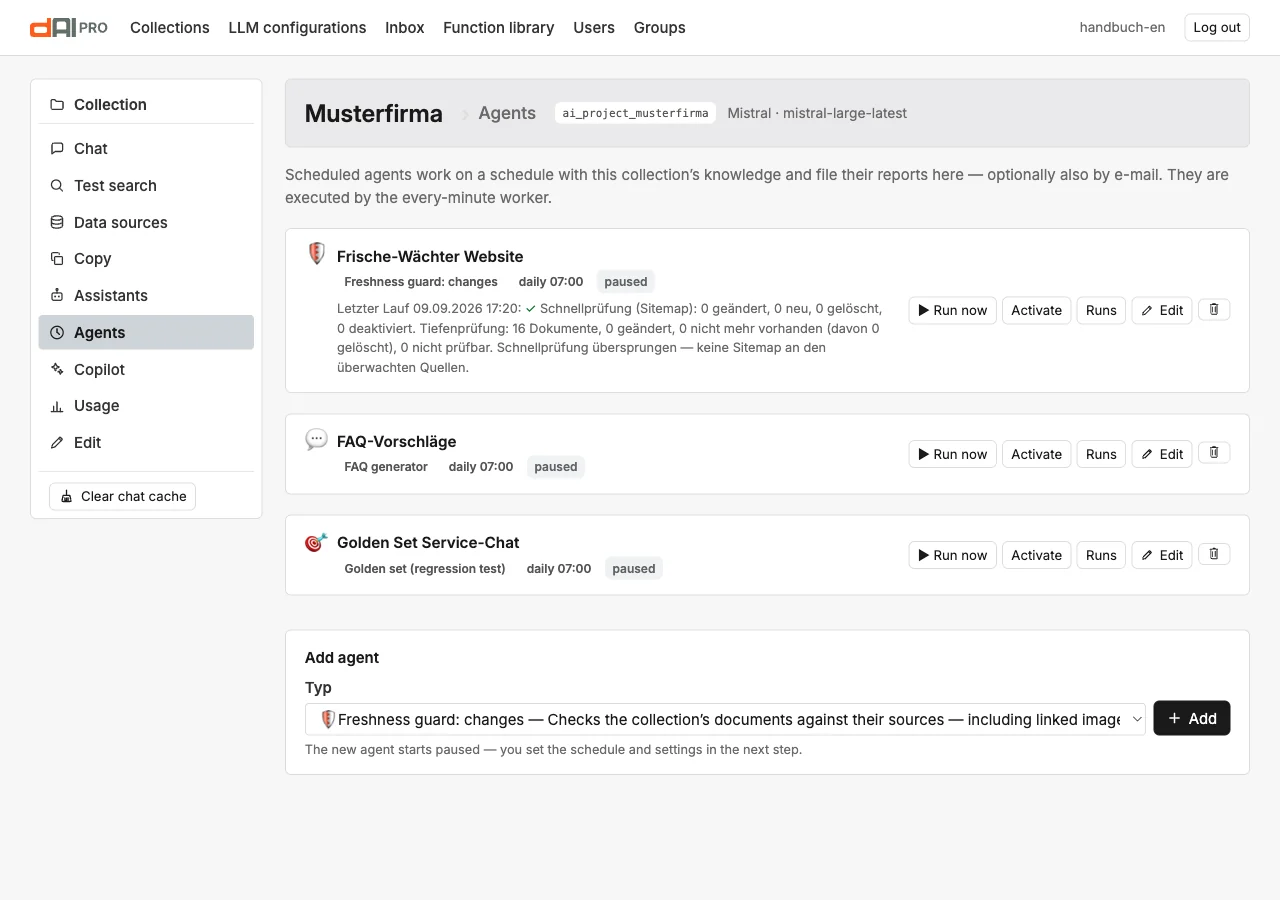
Each card shows type, schedule, status (active or paused), the last run with its result and the buttons Run now, Activate or Pause, Runs and Edit. At the bottom, "Add agent" creates a new agent; it starts paused, and schedule and settings follow in the next step.
The agent types
| Type | What it does |
|---|---|
| Freshness guard: changes | Checks the documents against their sources, including linked images and files: changed content, dead links, vanished pages. With the automatic options, this becomes a complete update without an editor. |
| Content guard: sanity | AI check of the stored content: expired deadlines, old prices and versions, contradictions between documents. Findings with verbatim quotes in the report; correcting them stays with the editorial team. |
| Content gap radar | Analyses the real chat questions: which topics are asked about, where was there no reliable answer? Delivers gap topics with example questions and a recommendation. |
| FAQ generator | Turns unanswered visitor questions into ready-to-edit FAQ drafts: an answer from the collection's knowledge, otherwise an editorial to-do. Nothing is written into the collection. |
| Ticket assistant | Watches a data source as a support inbox and drafts an answer from the collection's knowledge for every new enquiry, in the language of the enquiry. |
| Inbox | Fetches open cases from the connected ticket system or mailbox, assigns them to a collection and drafts a sourced answer. Nothing is written back; that remains a human step (Chapter 17). |
| Free prompt (report) | Runs a freely worded task on a schedule, optionally backed by the collection's knowledge, and files the result as a report. |
| Quality audit (auto-QA and topics) | Weekly report on real conversations: resolution rate, cost per resolved enquiry, topics with trend, and an AI sample that assesses answers against the knowledge excerpts the chat actually had (Chapter 16). |
| Golden set (regression test) | Sends stored test questions through the real answer pipeline and checks every answer: expected facts, expected source, expected refusal. Compares with the previous run and reports regressions. |
Setting up an agent
The form has three sections: Task with the label and the fields of the type, Schedule and Language model and report.
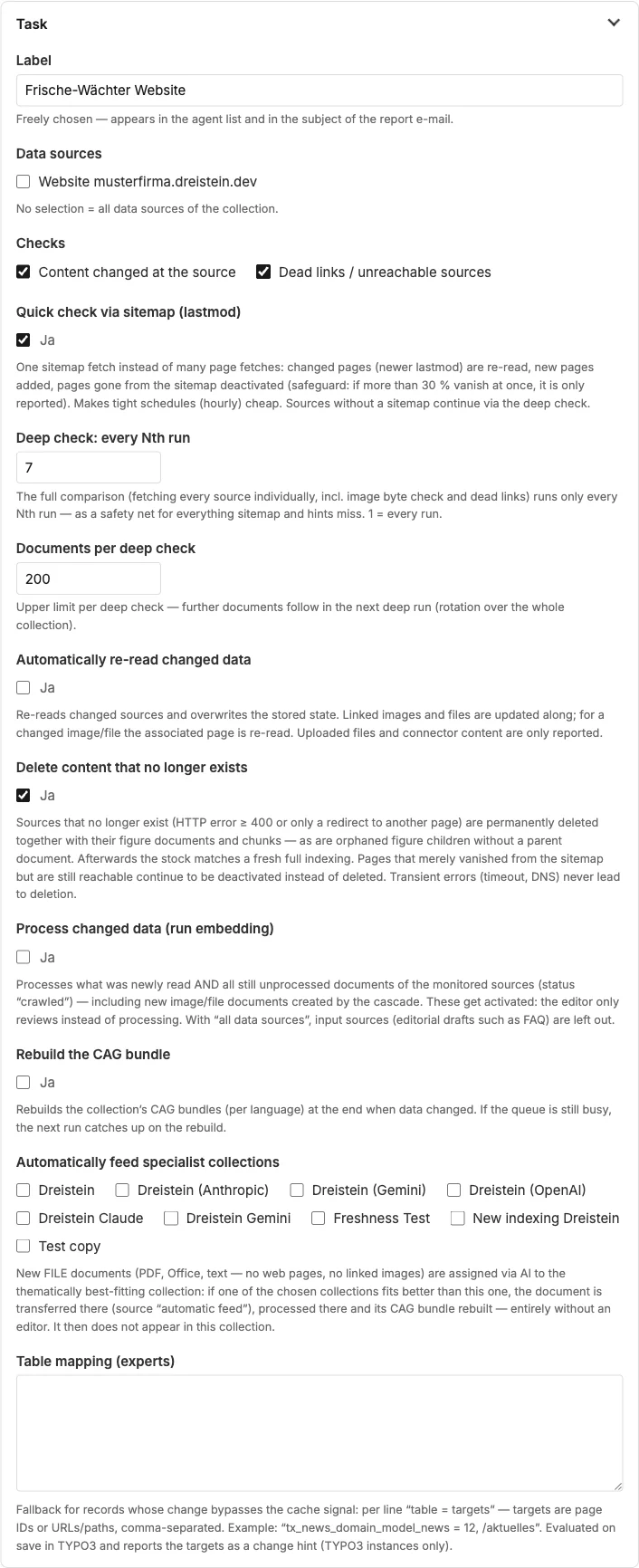
Freshness guard
| Field | Meaning |
|---|---|
| Data sources | No selection = all data sources of the collection. |
| Checks | Content changed at the source; dead links and unreachable sources. |
| Quick check via sitemap | One sitemap fetch instead of many page fetches: changed pages are re-read, new ones added, vanished ones deactivated. A safeguard kicks in if more than 30 per cent go missing at once. |
| Deep check: every Nth run | The complete comparison of every source, including images and dead links, only every Nth run. 1 = every run. |
| Documents per deep check | Upper limit per deep run; the rest is handled in the next one. |
| Automatically re-read changed data | Overwrites the stored version, including linked images and files. |
| Delete content that no longer exists | Sources with an HTTP error or redirect are deleted together with their figures and sections. |
| Process changed data | Processes newly read content and all still unprocessed documents of the monitored sources. |
| Rebuild CAG bundle | Rebuilds the complete content bundle for CAG mode when data has changed. |
| Supply special collections automatically | New file documents are assigned by AI to the thematically best-matching collection. |
With all automatic options, the freshness guard is the chain that keeps a website up to date without intervention: check, re-read, process, rebuild the bundle.
FAQ generator
| Field | Meaning |
|---|---|
| Period (days) | Which questions from the log are considered. |
| Max. FAQ drafts per run | One call to the language model per draft; keep it small, the next run carries on. |
| Use only unanswered questions | Off: frequently asked questions that have already been answered also become drafts. |
| Instructions (prompt) | Focus, tone, exclusions, such as "Ignore career questions". |
Golden set
The test questions are entered as blocks in the form, with a blank line between them:
? What does servicing a gas heating system cost?
= 149 euros | 129 euros
@ /preise

? How do I reach the emergency service?
= +49 1234 567890
~ around the clock | 365 days

? Do you also sell solar systems?
! NOINFO
? is the question, = facts that must all appear in the answer, ~ facts of which at least one must occur, @ a part of the expected source, ! NOINFO the expected refusal. Added to that are the language of the test questions, "Run after changes" (an additional run when documents have been re-indexed or the prompt or model has changed) and an optional AI judge that grades every answer from 1 to 5. The FAQ generator delivers ready-made suggestions for new test questions.
Schedule
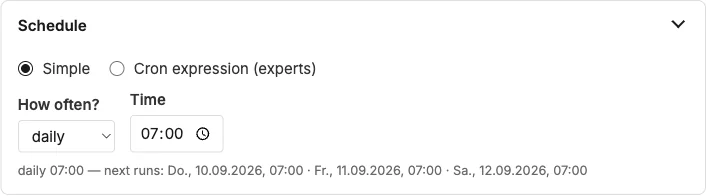
Simple: hourly, daily, weekly or monthly with time, weekday or day of the month. Cron expression for experts. A preview shows the next runs. A paused agent runs only on "Run now".
Language model and report
The agent's language model can differ from the collection's, for instance a cheaper model for the daily check. Report by e-mail to sends the report of every run to the addresses given; empty means: only in the run history.
Runs and findings
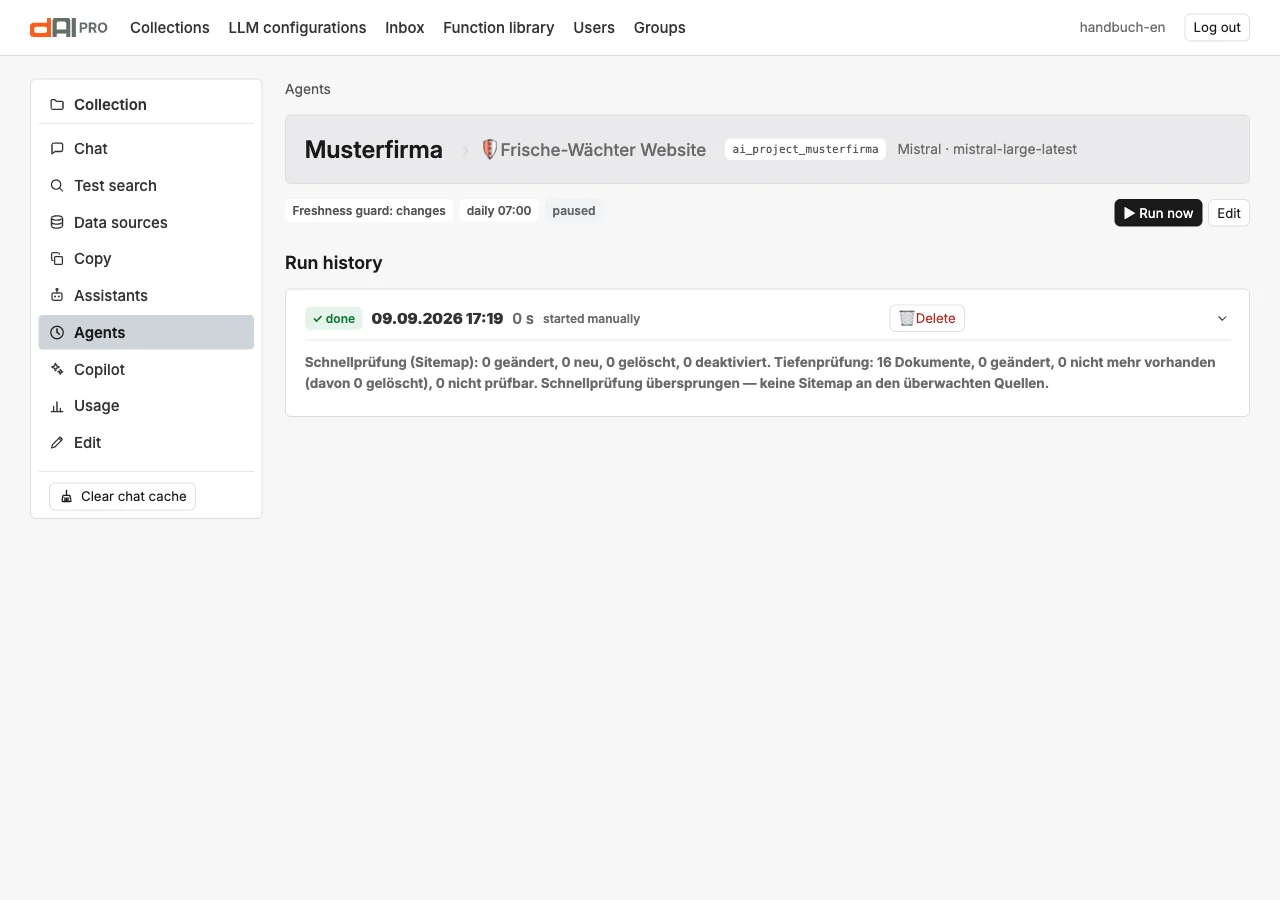
Runs shows, for each run, time, duration, summary and the findings as a table: severity, title, detail, evidence and what the agent did. Findings can be ticked off as done so they do not reappear in the next run. Reports with text, such as from the free prompt, are shown in full in the run.
Frequently asked questions
The agent does not run. It is paused, or the instance's background worker is down (Chapter 26). "Run now" puts the run in the queue; the worker picks it up within a minute.
The freshness guard has deleted pages. The source responds with an error or redirects; with "Delete content that no longer exists", the agent removes them. If the website is only temporarily disrupted, the 30 per cent limit of the quick check protects you. Check the findings of the run.
What does a run cost? The freshness guard without a deep check almost nothing; every newly processed page costs embeddings. FAQ generator, quality audit and golden set call the language model once per question. The figures are under "Usage" (Chapter 19).
See also
- Chapter 6 · Documents
- Chapter 16 · Quality cockpit
- Chapter 17 · Support inbox
- Chapter 26 · Operations