Manual · Chapter 10 · Part C Channels
Assistants
Purpose
One collection, several faces: an assistant is a profile within the collection with its own name, its own greeting, its own starter questions, its own goal and, if desired, a narrowed knowledge scope. On top of that come question–answer pairs, which take precedence over the search in the knowledge base, and tools the assistant is allowed to call. Which embed uses which assistant is chosen in the chat configurator (Chapter 8).
Where
In the collection rail, open Assistants.
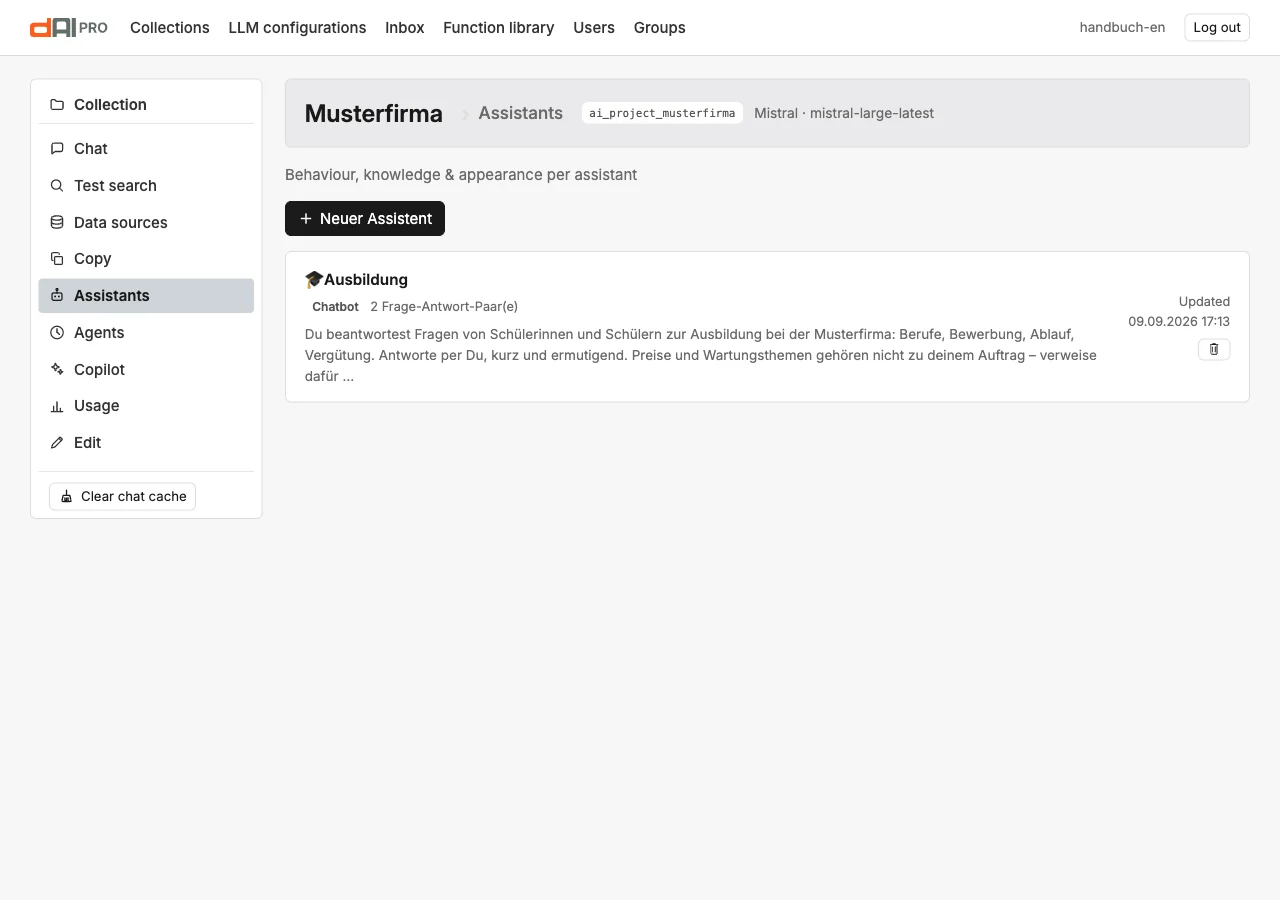
New assistant asks for title, type, goal and description. The type "Chatbot" is the normal case; "Website search" additionally stores preferred links with question–answer pairs. The goal is the main prompt of the assistant: it goes into the system prompt as a block, in addition to the collection's main prompt.
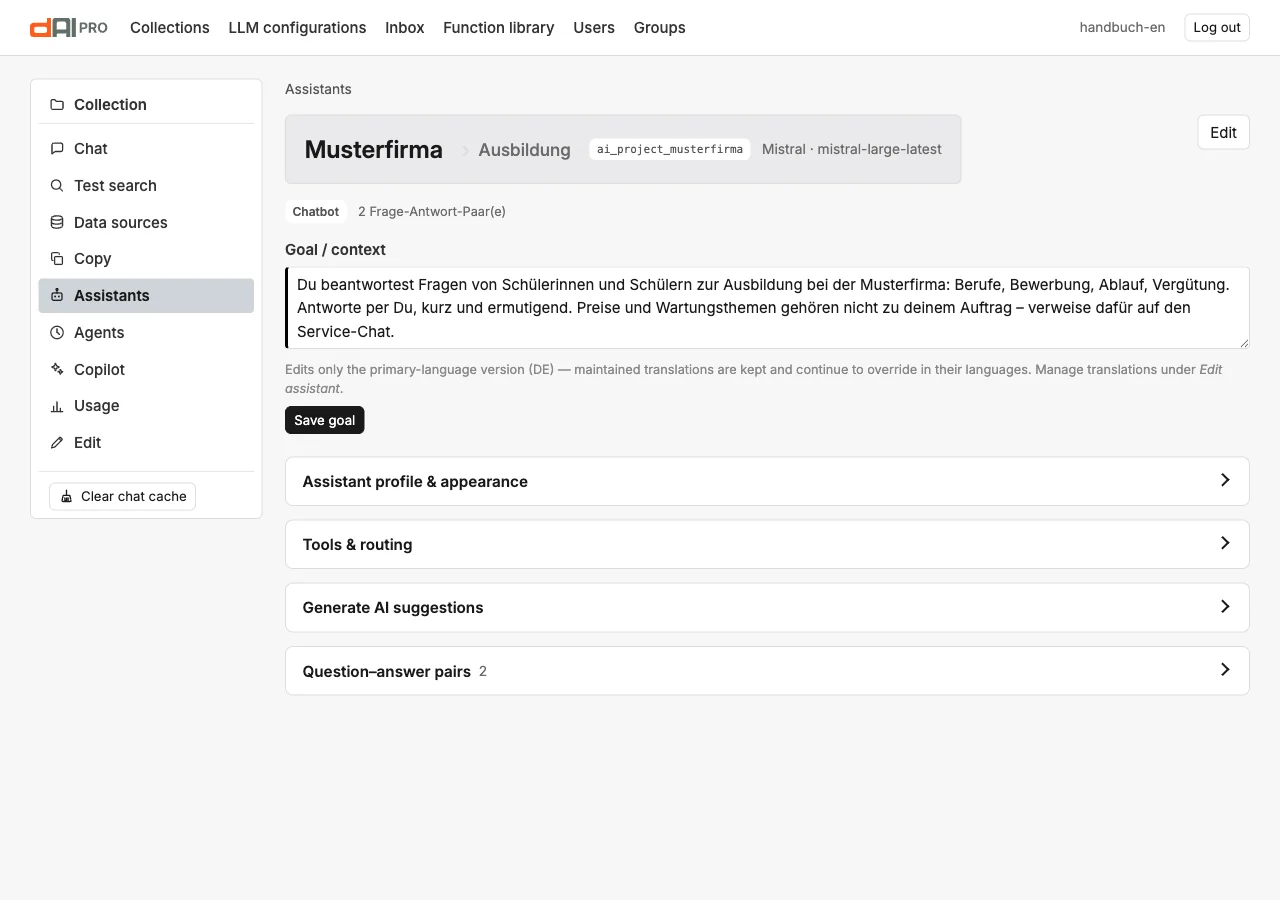
The detail page shows the goal at the top, editable with "Save goal", and four sections below it.
Assistant profile & appearance
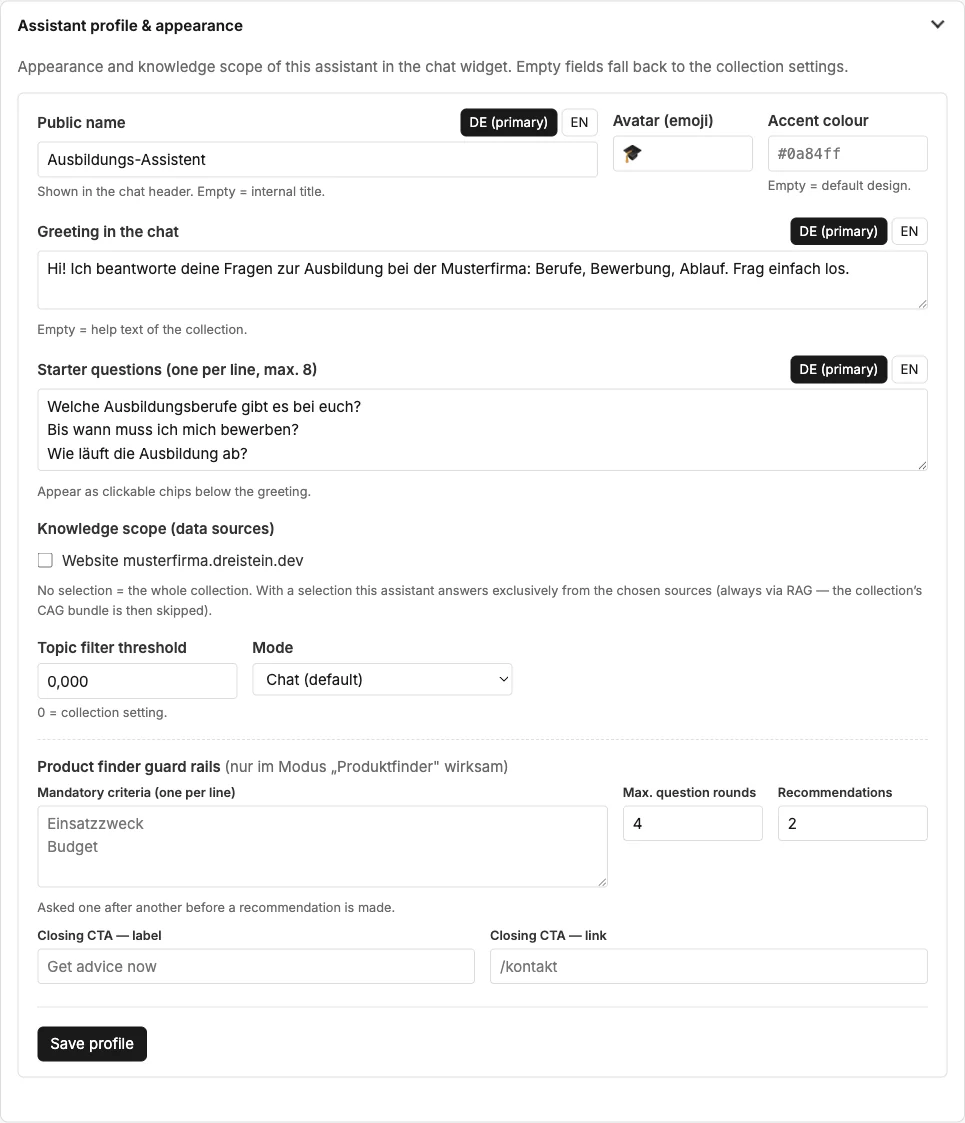
| Field | Meaning |
|---|---|
| Public name | Appears in the chat header. Empty = internal title. One tab per language. |
| Avatar (emoji) | One character next to the name. |
| Accent colour | Colour of this assistant in the chat. Empty = the embed's design. |
| Greeting in the chat | First message, per language. Empty = the collection's greeting. |
| Starter questions | Up to eight, one per line, shown as chips below the greeting. They replace the starter questions from the chat configurator. |
| Knowledge scope | No selection = the whole collection. With a selection, the assistant answers only from the chosen data sources, always via the search in the index. |
| Topic filter threshold | 0 = the collection's setting. |
| Mode | "Chat" or "Product finder (guided)". In guided mode the assistant asks about the guardrails one after another before it recommends. |
Tools & routing
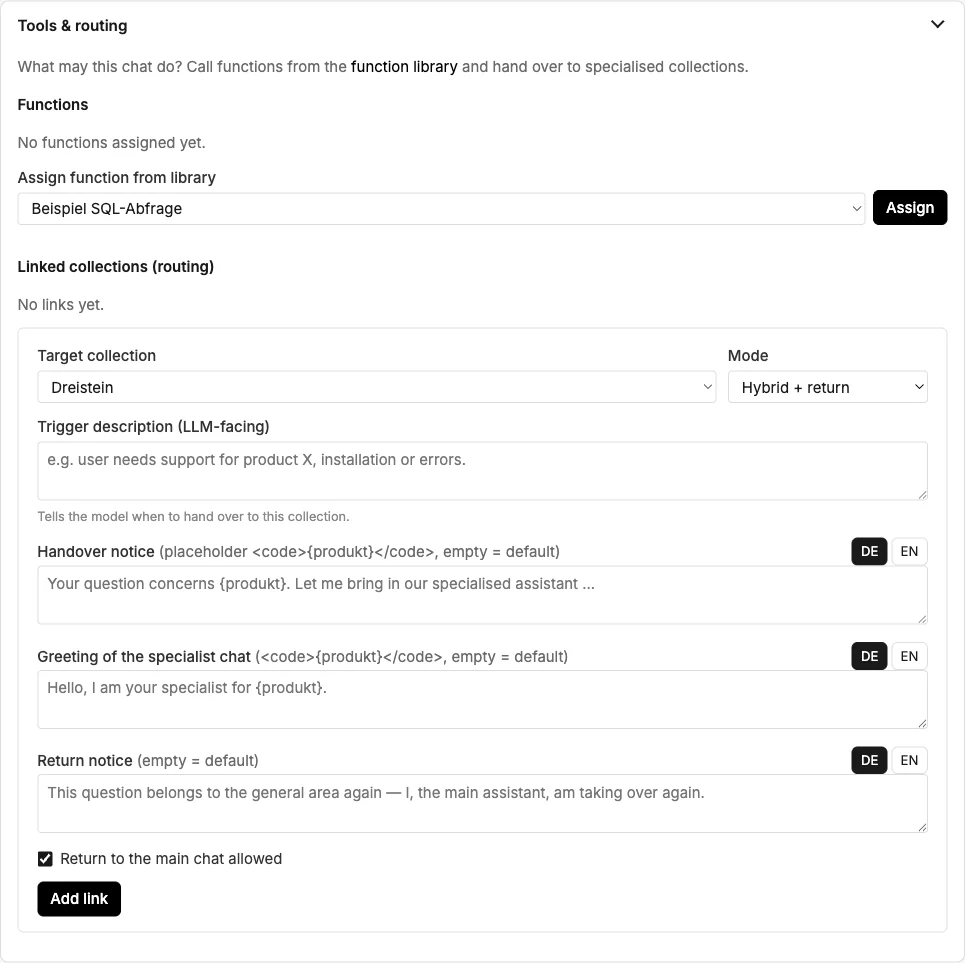
Functions are tools from the instance's function library: queries to a database or an API, such as stock levels, availability or order status. The assistant may call an assigned tool when the question calls for it. Tools are created by the administration in the library (Chapter 30); here they are only assigned.
Linked collections hand questions over to another collection:
| Field | Meaning |
|---|---|
| Target collection | The collection that takes over. |
| Mode | Hybrid + return: the target collection answers, the visitor can go back. True handoff: the conversation switches over completely. Consultation: the target collection is consulted in the background, the assistant keeps answering itself. |
| Trigger description | Tells the language model when to hand over, for example "for questions about spare parts". |
| Handover note, greeting of the specialist chat, return note | The texts the visitor sees when switching, per language. Empty = default. |
| Return allowed | Whether the visitor can go back to the main chat. |
Generate AI suggestions
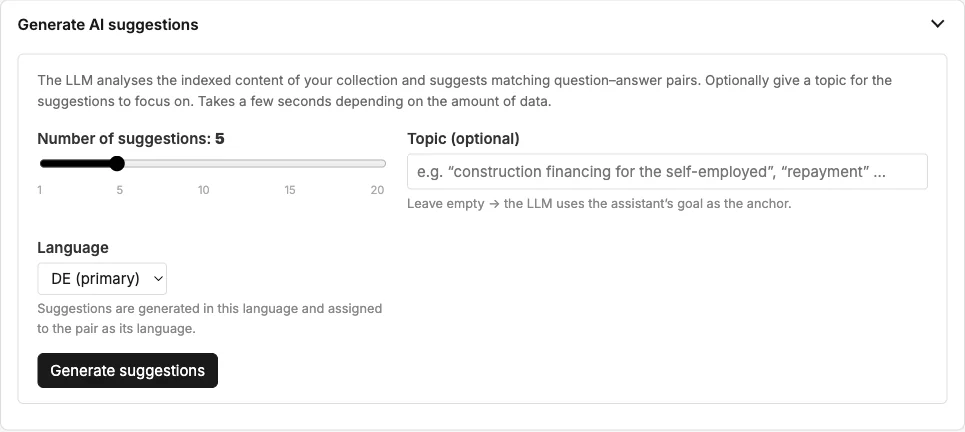
The language model reads the indexed content and suggests question–answer pairs. You choose the number, optionally a topic and the language. Each suggestion can be edited or discarded before it is accepted; accepted suggestions end up as pairs in the next section.
Question–answer pairs
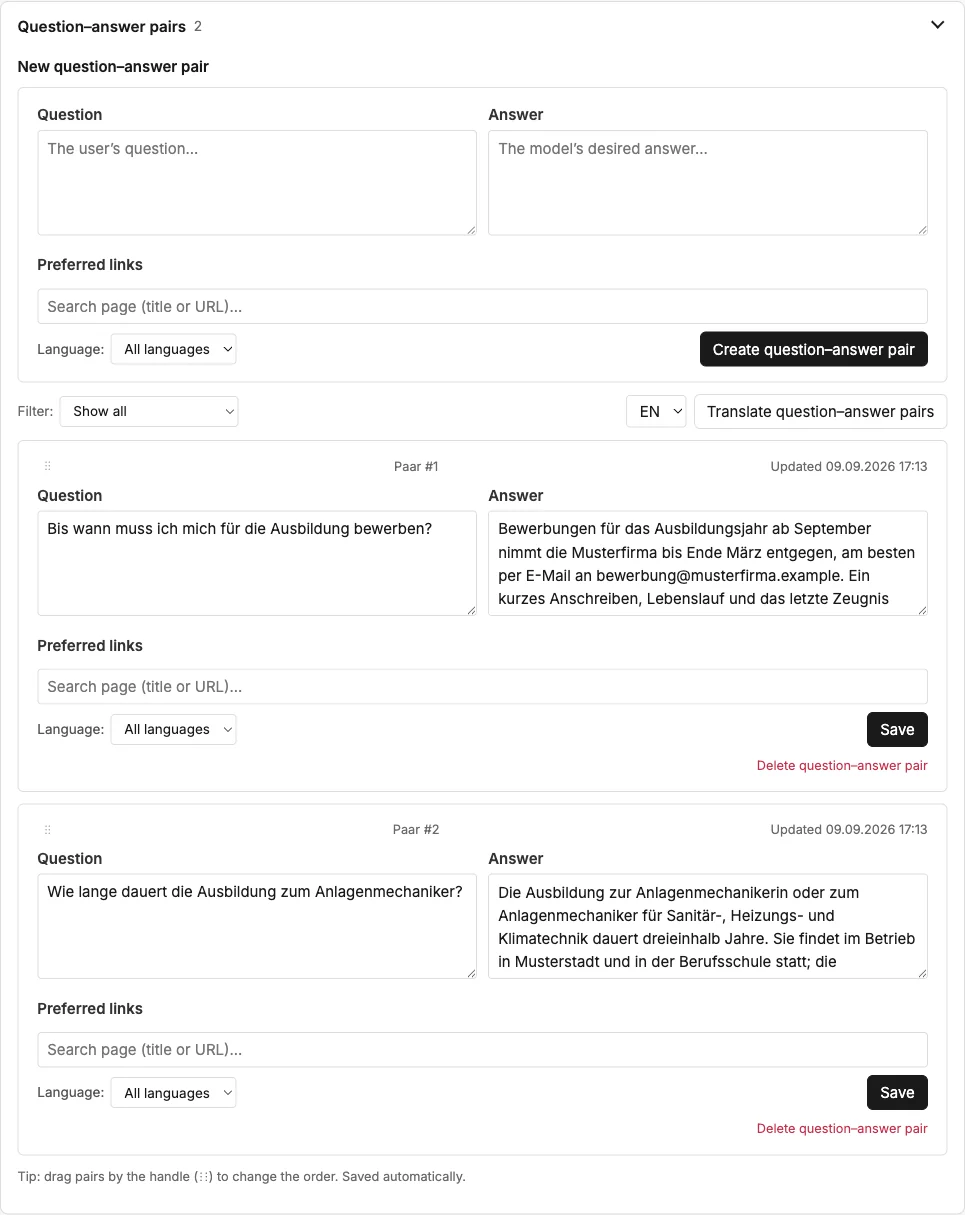
A pair consists of a question and an answer and takes precedence over the search in the knowledge base: if a visitor asks the question, even in other words, the assistant replies with exactly this answer. Pairs are suitable for:
- Details that appear nowhere on the website.
- Answers that should always read the same, for instance on legal topics.
- Questions where the knowledge base is ambiguous.
| Field | Meaning |
|---|---|
| Question, answer | The wording. The answer may contain paragraphs and links. |
| Preferred links | Only for the type "Website search": pages that appear first for this question. |
| Language | All languages, one language or neutral. A pair in one language applies only there. |
The list can be filtered by language; Translate question–answer pairs creates missing language versions. You change the order by dragging the handle.
Using the assistant
In the chat configurator, under "Assistant & language", you choose the assistant for the embed. For the careers page this produces a separate embed code; everything else stays the same. In the test chat, the assistant can be switched via "change" in the status line.
Frequently asked questions
The assistant also answers questions outside its goal. Narrow the knowledge scope, or write the goal more sharply: "Answer only about …, otherwise refer to …".
A question–answer pair does not take effect. Check the language of the pair: a pair in German does not answer in English. Clear the chat cache.
Can an assistant use a different language model? You choose the model per embed in the chat configurator, not per assistant.
See also
- Chapter 7 · Good answers
- Chapter 8 · Embedding the chat
- Chapter 30 · Extending connectors (tools)