Manual · Chapter 12 · Part C Channels
Human handover and actions
Purpose
A chat that cannot help must not leave the visitor on their own. The human handover brings the request and the conversation history to your team, by e-mail or as a callback request. Actions go a step further: the chat creates callbacks in your CRM, opens tickets in the ticket system or books appointments in the calendar. Always on the same principle: the assistant prepares a card with all the fields, and nothing is sent until the visitor confirms.
What visitors see
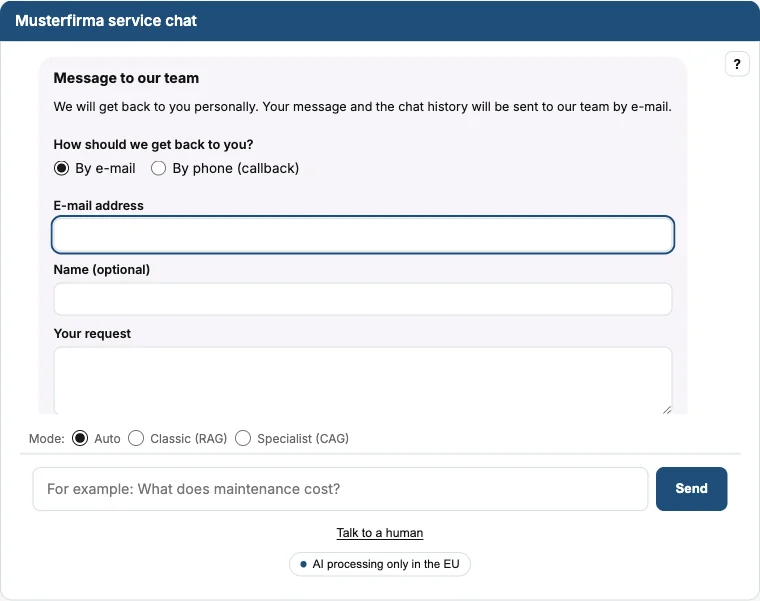
The link Talk to a human is permanently shown below the chat. In addition, the chat offers the handover below answers for which it found no source. The card asks:
- How we should get in touch: By e-mail or By callback.
- E-mail address, name (optional), the request.
- For a callback: phone number and preferred time, from the collection's time slots or free text.
- A copy to the visitor's own address, and consent that details and history are transmitted by e-mail.
After sending, the chat confirms with a reference number.
Setting up the human handover
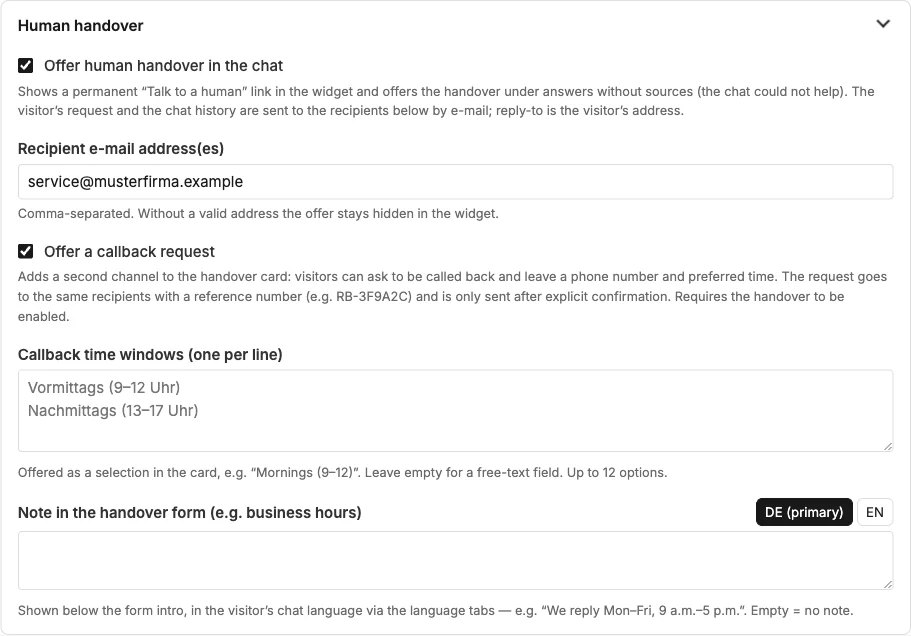
| Field | Meaning |
|---|---|
| Offer human handover | Enables the link and the offer. |
| Recipient e-mail address(es) | Separated by commas. Without a valid address, the offer stays hidden. |
| Offer callback | Second channel in the card: phone number and preferred time. The request goes to the same recipients with a reference number. |
| Callback time slots | One line per option, up to twelve. Empty = free text. |
| Note in the handover form | Such as business hours, per language. |
In the chat configurator, the handover can be hidden per embed (function "Human handover", Chapter 8).
Actions from the chat
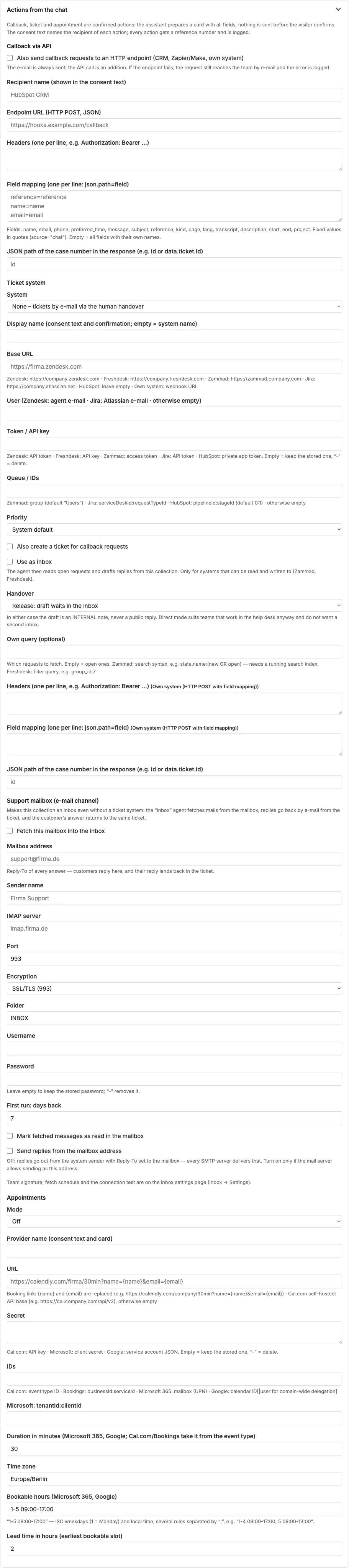
Actions go one step further than the handover by e-mail: the chat itself creates something in your systems. There are three actions, each set up in the collection settings in the section “Actions from the chat” (Chapter 4):
| Action | What happens |
|---|---|
| Callback via API | The callback request goes as a request to an address of your CRM or ticket system instead of by e-mail. |
| Ticket | The chat opens a ticket in your ticket system, or a case in the dAI Pro support inbox (Chapter 17). |
| Appointment | The visitor picks a free slot, the chat books it in your calendar. |
All three follow the same pattern: the assistant recognises the wish, collects the details in the conversation and shows a card with all fields. Nothing is sent until the visitor confirms the card; until then they can change any field or cancel. The consent text in the card names the recipient per action; every action gets a reference number that the visitor sees in the confirmation and the team in the message.
An action is not the same as a tool from the function library: tools query data so that the assistant can answer, such as stock or a maintenance date. Actions create something. Chapter 30 describes tools.
Frequently asked questions
The link "Talk to a human" is missing in the chat. Check the recipient address; without a valid address, the handover stays hidden. Then check in the chat configurator whether the function is hidden for this embed.
Does the visitor get a confirmation? In the chat immediately, with a reference number. By e-mail only if they ticked "Copy to my e-mail address".
What is in the e-mail to the team? Request, contact details, preferred channel and time, reference number, the page the enquiry came from, and the conversation history.
Can the chat book appointments without confirmation? No. Every action waits for the visitor's confirmation in the card.
See also
- Chapter 4 · Setting up collections
- Chapter 17 · Support inbox
- Chapter 31 · Integrations